
01
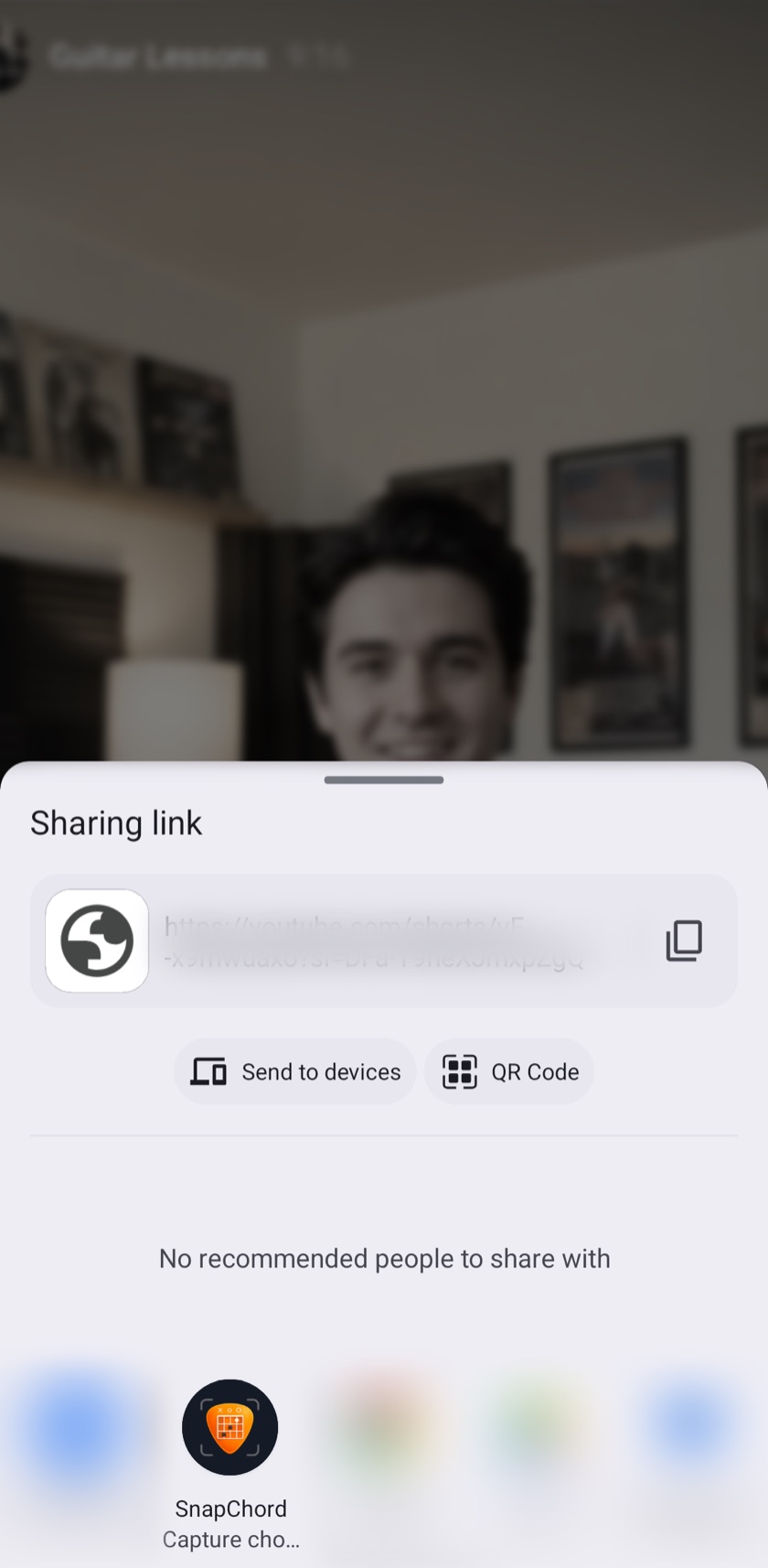
Share the tutorial.
Guitar chord app for Android
Tap along over any guitar tutorial. Get a clean chord sheet.
01
02
03
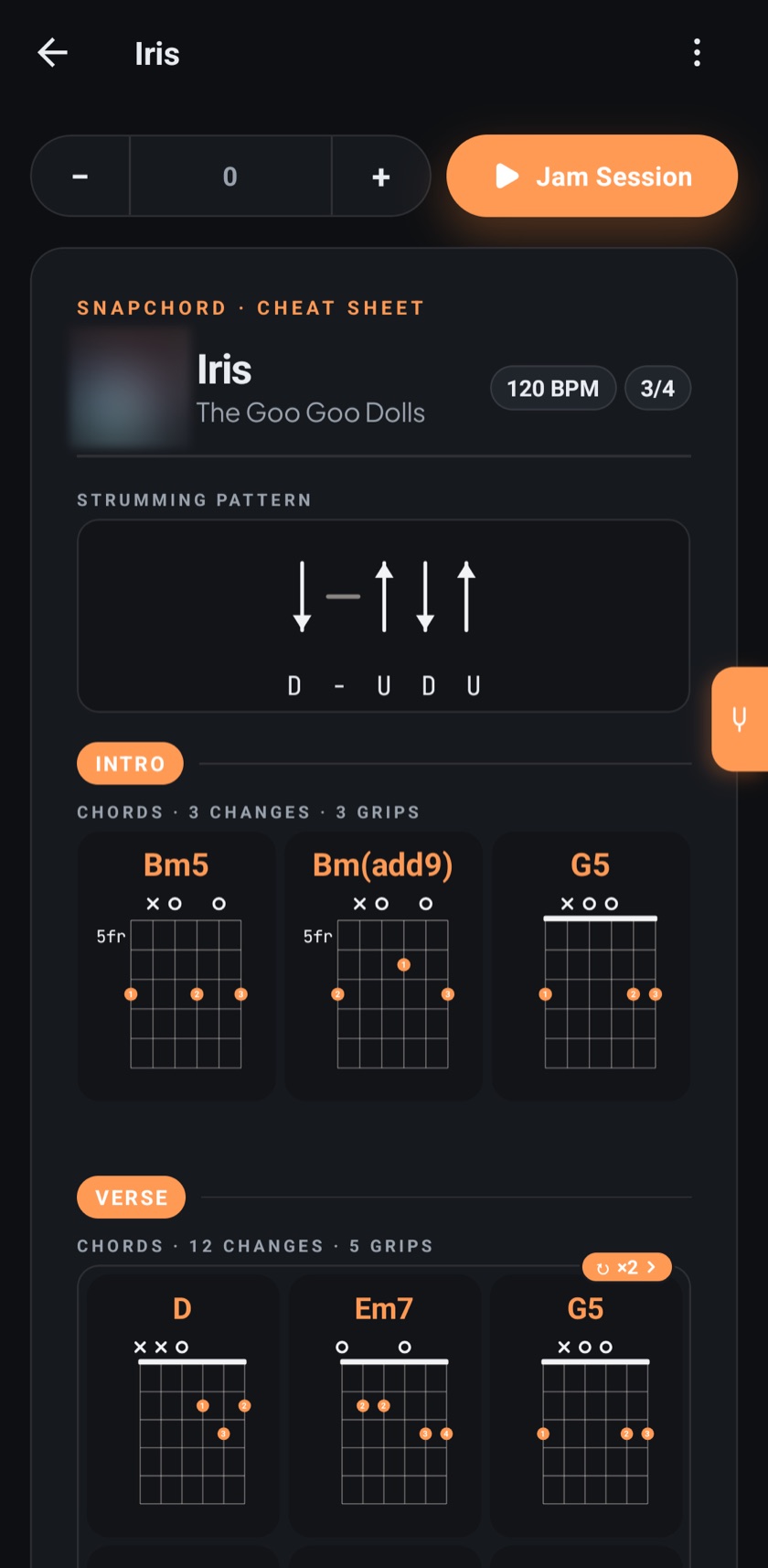
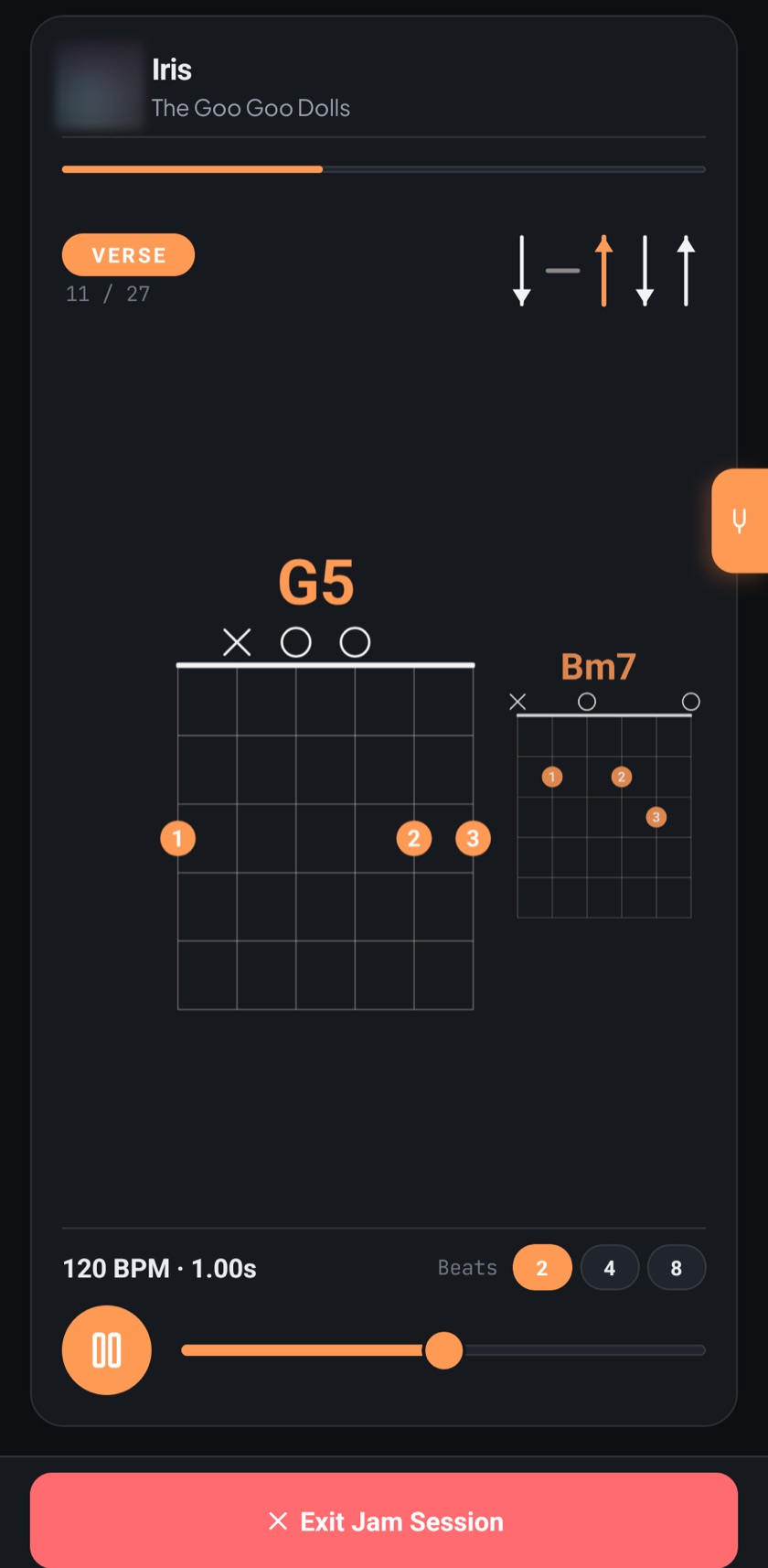
Diagrams, strumming and tempo — and jam mode keeps time.
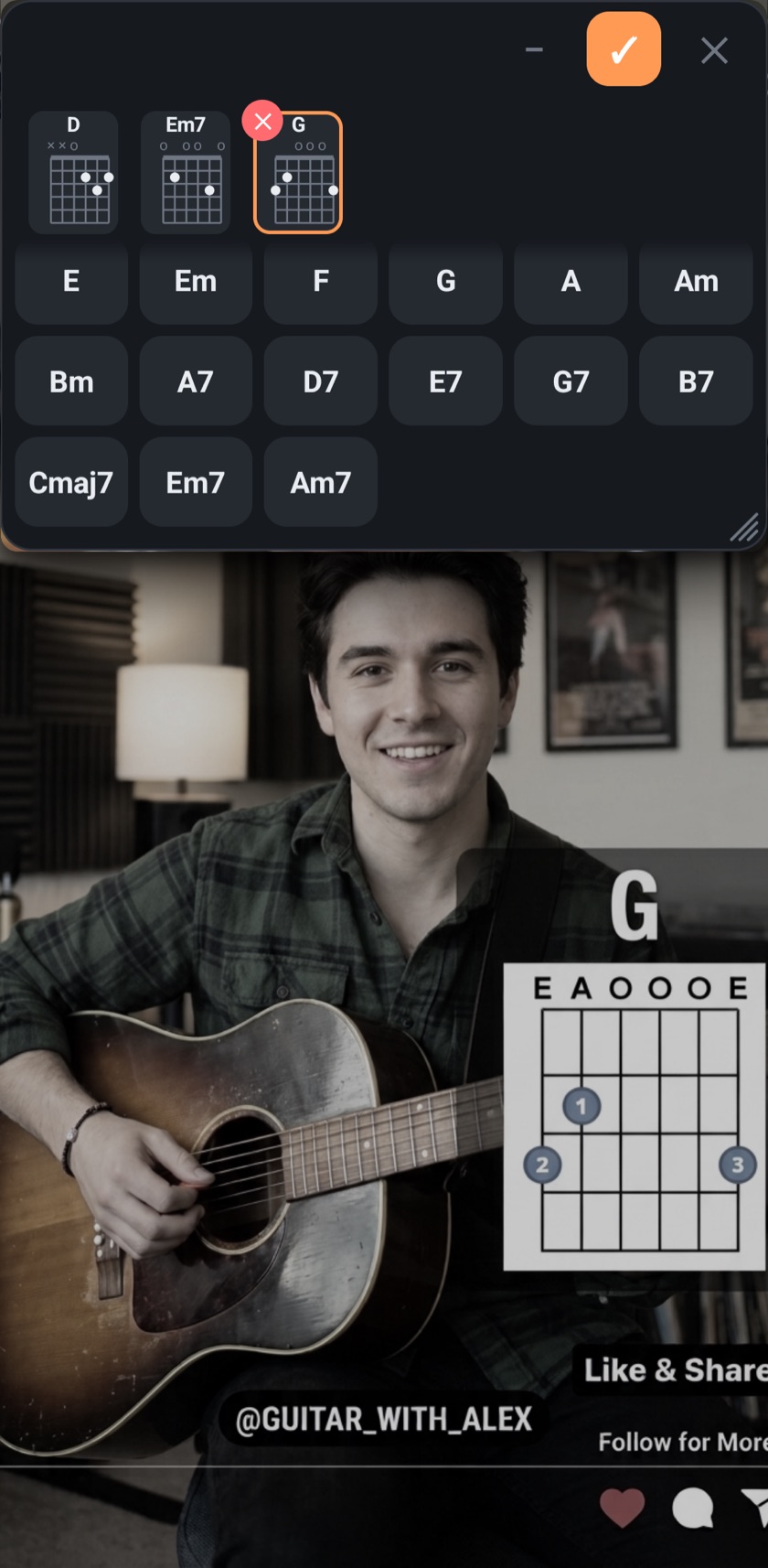
Share a guitar tutorial from YouTube, Instagram or TikTok. A small pad floats over the video while you tap in the chords. Link and title land in the song.
Chord diagrams, strumming pattern, capo and cover on one sheet, shareable as an image.
The sheet moves along in time, with the next chord always in view.
Move a song into a key that suits your voice.
With alternative voicings per song. Build your own chords too.
Import from Ultimate Guitar and Chordie. Share songs by link or QR code.
Plus left-handed mode and a light and dark theme.
No account, no cloud, no trackers, no ads in your way.
No subscription.
Starter
Free
5 songs of your own.
Everything in Pro for 14 days.
One-time purchase
Pro
Unlimited songs.
Image export.
Open the tutorial, tap Share and pick “Capture chords”. A small pad floats over the video, you tap in the chords as they come up, then tap ✓. SnapChord turns them into a clean chord sheet and saves the video link and title with the song. It works the same with Instagram and TikTok.
You can keep 5 songs of your own for free, and everything in Pro is unlocked for the first 14 days. Pro is a one-time purchase with unlimited songs and image export. Backup is free. There is no subscription.
SnapChord is currently available for Android on Google Play.
No. Your songs stay on your device, and there are no ads.
That permission lets the chord pad float over the video. Without it, SnapChord opens the form instead, and you can play the video next to it in split screen.